
When people first start taking SEO seriously, the same issue usually appears pretty quickly. Budgets are limited, paid tools feel expensive, and suddenly every article online seems to recommend another subscription before you have even figured out the basics.
The reality is that most small businesses do not need an expensive stack of software to start improving visibility. There are plenty of free SEO tools that help you understand your audience, improve visibility, tidy up technical issues, and make clearer decisions about your content.
Some of these tools are very simple. Others are surprisingly capable for something free. A few have stayed part of my own workflow for years because they solve practical problems without making things unnecessarily complicated.
Summary
Before getting into the tools themselves, here are the main things worth keeping in mind:
- You do not need expensive software to improve your SEO
- A small group of reliable tools is usually more useful than a huge stack
- Most beginners benefit more from consistency than complexity
- Free tools can help with keywords, technical fixes, tracking, and content planning
- Search Console and GA4 alone can reveal far more than most businesses realise
- Long-tail keywords are often easier for smaller websites to target
- Technical basics like sitemaps and robots.txt still matter more than people think
- The best setup is usually the one you will actually keep using
That is usually the part people get wrong.
They try to use everything at once.
Pick two or three tools that support your next goal, maybe keyword research, fixing technical issues, or understanding what content already performs well. Use them consistently for a few months and patterns start becoming much easier to spot.
That steady approach usually works better than jumping between dozens of platforms trying to track everything at once.
My Favourite SEO Tools For Beginners
Below is a list of ten free SEO tools that I have genuinely used myself and still recommend to beginners regularly. Each one helps with a slightly different part of SEO, from research and structure through to tracking and reporting.
You do not need all of them immediately.
Most businesses get better results by keeping things simple early on and building confidence gradually.
1. Google Keyword Planner
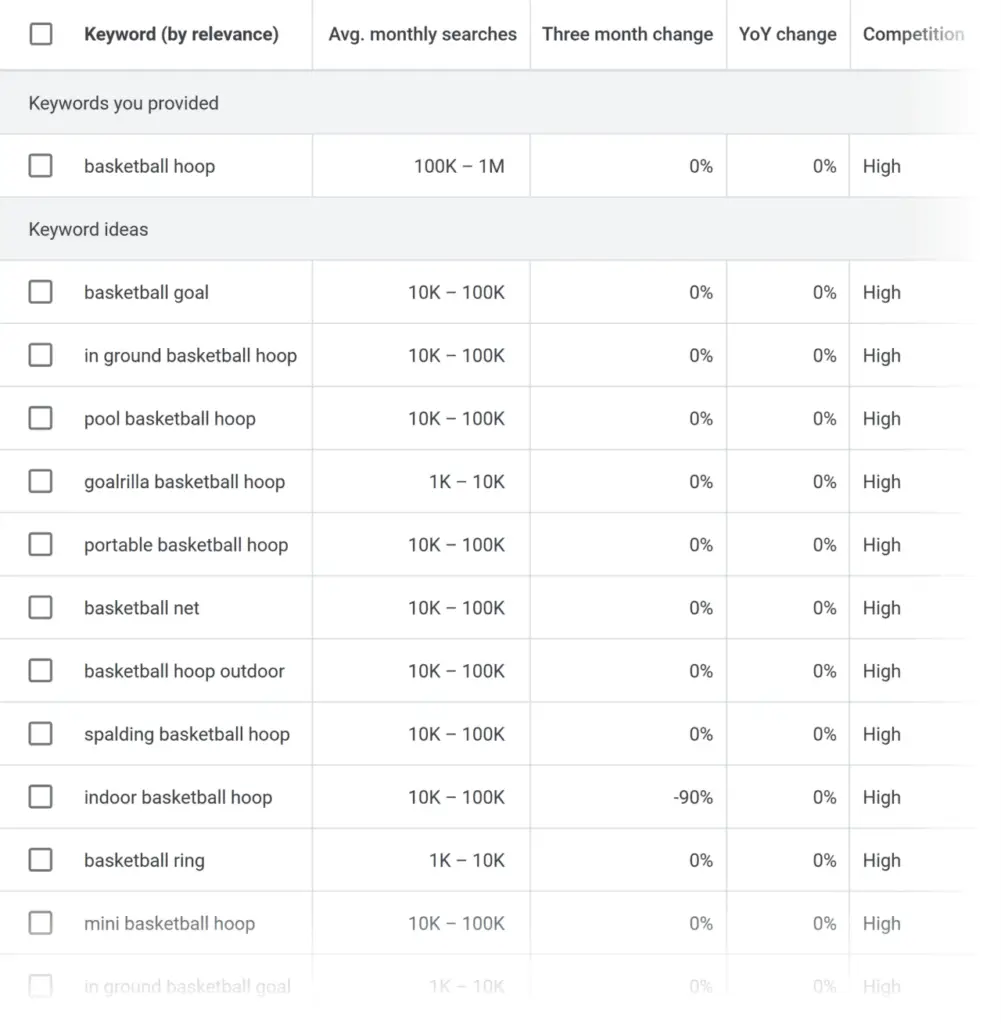
Google Keyword Planner is still one of the easiest places to begin with keyword research.
You enter a word or phrase related to your business, and Google returns related searches alongside search volume ranges and competition estimates. Compared to paid platforms, it is fairly basic. Honestly though, that is part of the reason beginners tend to get on with it.
The tool works particularly well when paired with manual Google searches. That part matters because search intent is often clearer in the actual results page than inside a keyword tool.
You start seeing how people naturally search, the type of pages Google prefers, and where smaller businesses actually have a realistic chance of appearing.
It is also useful for uncovering long-tail searches that larger businesses sometimes ignore. Those more specific phrases often bring better quality traffic because the person searching already knows what they want.
For smaller local businesses especially, that can make a real difference.
Before moving on to the next tool, it is worth remembering that keyword research is usually less about finding massive search volumes and more about understanding how real people search.
Go Further
Try typing potential keywords directly into the Google search bar and pay attention to the autofill suggestions.
Those suggestions often reflect the language customers naturally use day to day, which is sometimes more useful than overly polished marketing phrases.
Top Tip
“Longer search phrases such as ‘organic cakes in Bristol’ are often easier for smaller businesses to target because the intent is more specific.”
2. Ubersuggest
Ubersuggest is useful when you want to move beyond the basics and explore broader keyword opportunities.
It gives you keyword suggestions, competitor insights, estimated difficulty scores, and content ideas that can help shape future pages or blog topics.
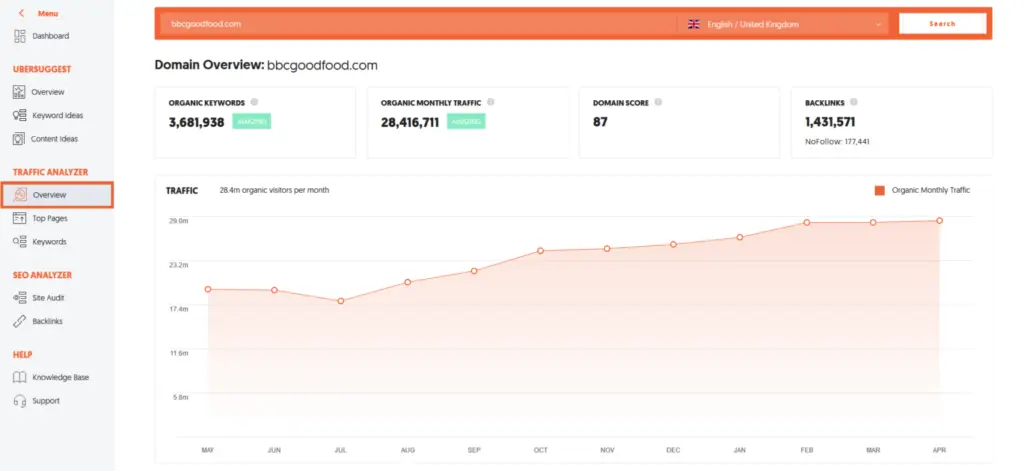
What makes it particularly helpful for smaller businesses is that it often reveals lower-competition areas that bigger brands overlook.
That is usually where smaller websites have a better chance of gaining visibility.
You can also use it to look at competitor pages and spot gaps in their content. Sometimes you realise competitors rank simply because they covered a topic clearly and consistently, not because they built something extraordinary.
That can actually be encouraging.
A lot of businesses assume SEO always comes down to massive budgets or large marketing teams. Most of the time, it is simply about being clearer, more useful, and more consistent than competitors.
Top Tip
“The Keyword Ideas section is great for uncovering related searches that your audience might use even if they never search your main phrase directly.”
3. Google Search Console
If somebody asked me which free SEO tool matters most for beginners, I would probably say Search Console without hesitation.
It shows how your website appears in search, which keywords trigger impressions, where pages receive clicks, and where technical problems may be limiting visibility.
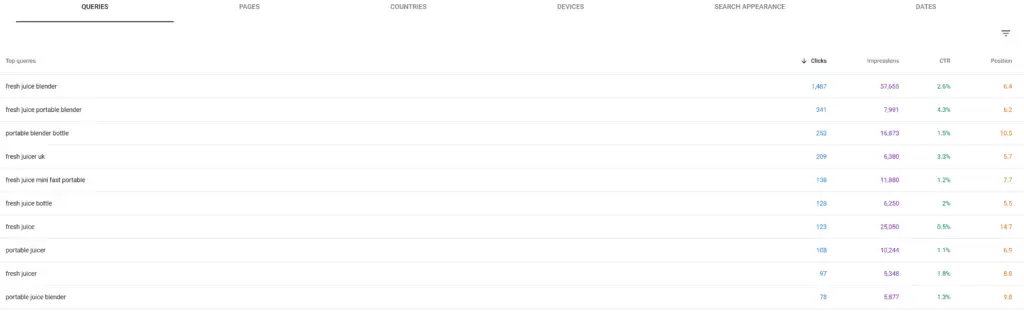
There is a huge amount of useful information inside it.
The performance reports include sixteen months of data, which makes it much easier to compare trends over time and understand what changes actually helped.
That longer view is important because SEO rarely moves in a straight line.
One month might look quiet. Then a few months later you suddenly notice steady growth building around a group of pages.
Search Console also helps identify indexing problems, page coverage issues, mobile usability concerns, and pages that are ranking without generating clicks.
Those are often the pages worth improving first.
A surprising number of businesses already have useful visibility but never realise it because they are not checking the data properly.
Top Tip
“Inside the Search Results report, remove branded keywords temporarily so you can see how your site performs for non-branded searches that attract new visitors.”
4. Google Analytics 4
Google Analytics 4 gives you a clearer picture of what visitors actually do once they land on your site.
You can see where traffic comes from, which pages people spend time on, and where users leave without taking action.
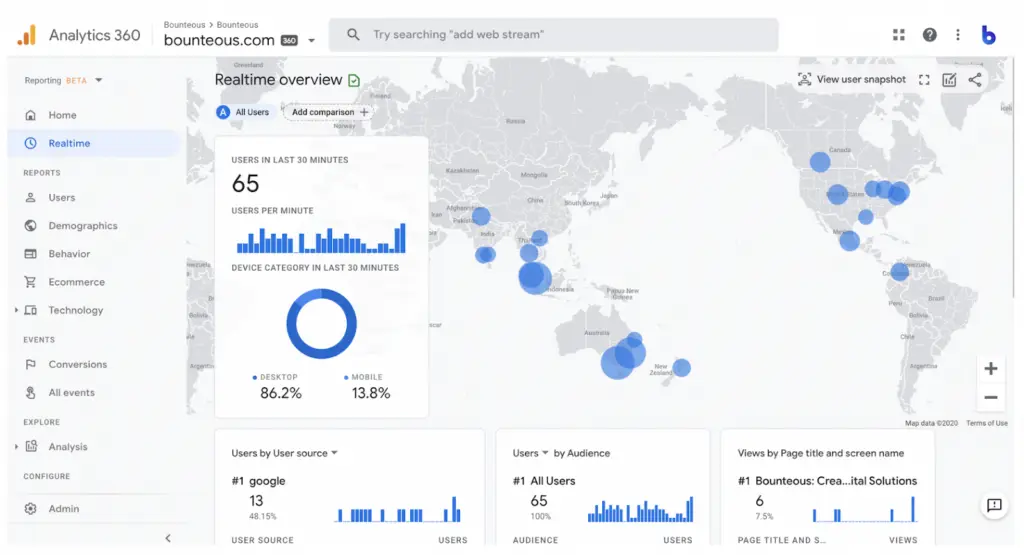
That information helps turn SEO from guesswork into something more measurable.
Some pages naturally pull in traffic but fail to generate enquiries. Others attract fewer visits but convert surprisingly well.
That second group often deserves far more attention than businesses give it.
GA4 can feel messy when you first open it. Most people click around for five minutes, get overwhelmed by reports and menus, then quietly close the tab again. Completely understandable.
The key is to focus on a few practical metrics early on rather than trying to learn everything immediately.
Traffic sources, landing pages, engagement, and conversions are usually enough to begin with.
Once you understand those basics, the wider reporting starts making more sense.
Top Tip
“Set up conversion tracking for forms, calls, or purchases so you can measure which traffic actually leads to enquiries or sales.”
5. Rank Math (WordPress)
For WordPress users, Rank Math has become one of the most practical SEO plugins available.
It supports schema markup, metadata editing, sitemap creation, internal linking suggestions, and page-level optimisation checks without feeling overly complicated.
That balance matters.
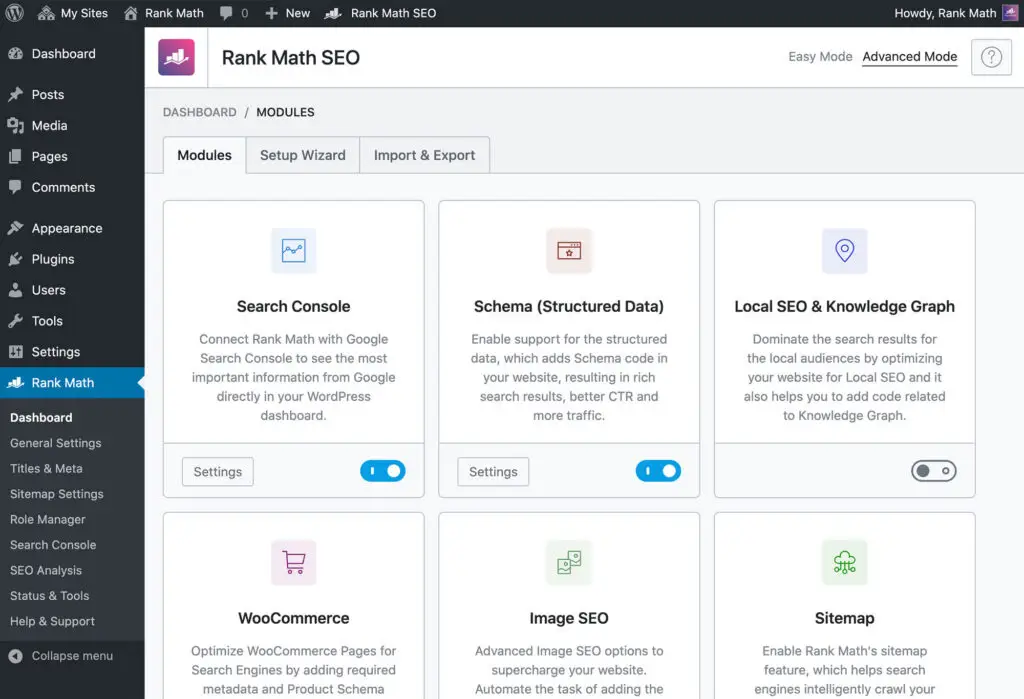
A lot of SEO plugins overwhelm beginners almost immediately with warnings, scores, notifications, and endless recommendations.
Rank Math generally keeps things more manageable.
I also use it on my own website because it helps maintain consistency across pages without slowing content creation down.
The traffic light scoring system is not something to obsess over, but it does help newer users spot missing basics like headings, metadata, or image alt text.
More importantly, it encourages better structure.
That usually improves readability for visitors as much as it helps search engines understand the page.
6. XML Sitemap Generator Tools
XML sitemaps are not the most exciting part of SEO, but they still matter more than people think.
A sitemap helps search engines understand which pages exist on your site and which ones should be crawled.
For small websites, creating one is usually straightforward. For larger sites or older websites with messy structures, it becomes much more useful.
Submitting your sitemap through Google Search Console can also help newly published pages get discovered faster.
That does not guarantee rankings, obviously, but it helps Google find important content more efficiently.
I actually built my own beginner-friendly XML sitemap generator because a lot of small business owners found existing tools unnecessarily confusing.
Sometimes SEO tools seem designed for technical marketers rather than normal business owners trying to keep a website organised.
7. Robots.txt File Generator
The robots.txt file tells search engines which areas of your website they should or should not crawl.
It sounds more technical than it actually is.
A generator tool helps you create a robots.txt file correctly without needing to manually write instructions yourself.
This becomes useful when you want to prevent search engines from wasting crawl time on admin areas, duplicate pages, or irrelevant sections of the site.

At the same time, you need to be careful.
It is surprisingly easy to block important pages accidentally if you do not understand what the instructions are doing.
Honestly, that mistake happens constantly.
If you are unsure, keep things minimal rather than becoming overly aggressive with restrictions.
Top Tip
“Review your robots.txt file occasionally because accidental blocking issues can quietly affect visibility for months.“
8. AlsoAsked
AlsoAsked is one of the better tools for understanding how search journeys naturally develop.
It pulls question data from Google’s People Also Ask results and maps out how related searches connect together.
That is incredibly useful when planning blog content.
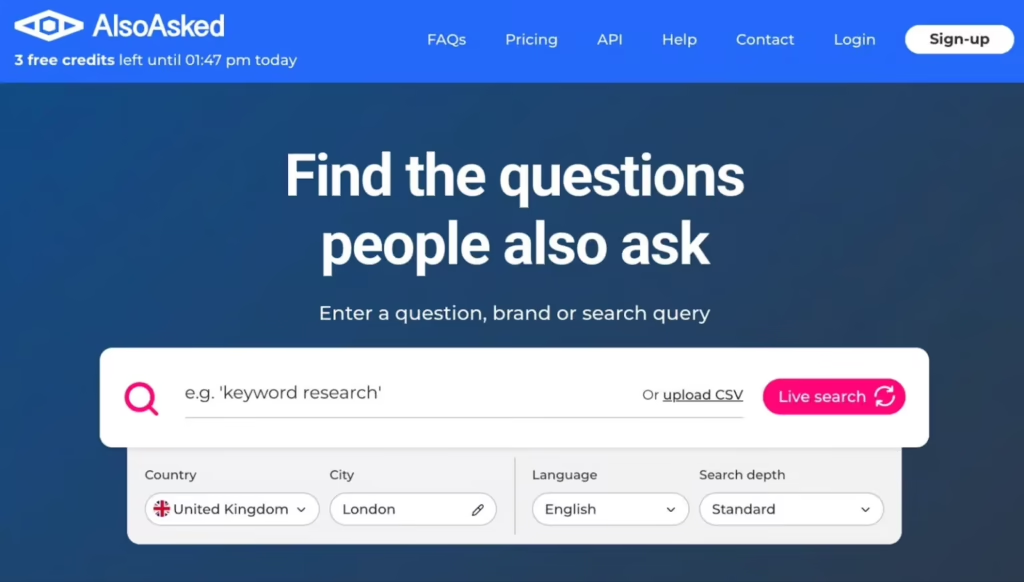
Instead of targeting isolated keywords, you start seeing the wider topic structure around what people want to know.
One question leads into another.
That naturally helps you build stronger topic coverage and more useful supporting content.
It is also helpful for improving content depth.
A lot of SEO content answers the obvious question and stops there. Real people usually have another question immediately afterwards.
AlsoAsked helps expose those gaps.
The result is content that feels more complete and genuinely useful rather than written purely around a single keyword.
9. Schema Markup Generator
Schema markup helps search engines understand the context behind your content.
Adding structured data can improve how your listings appear in search results by including extra information such as reviews, business details, FAQs, products, or opening hours.
For local businesses especially, that extra visibility can help listings stand out more clearly.
The good thing is that schema generators have made this much easier than it used to be.
You no longer need advanced coding knowledge just to create basic schema properly.
Once generated, the code can usually be added directly into your website or handled through SEO plugins like Rank Math.
It is one of those small technical improvements that quietly supports stronger visibility over time.
Top Tip
“Include accurate business details in your schema, especially contact information and opening hours for local SEO visibility.”
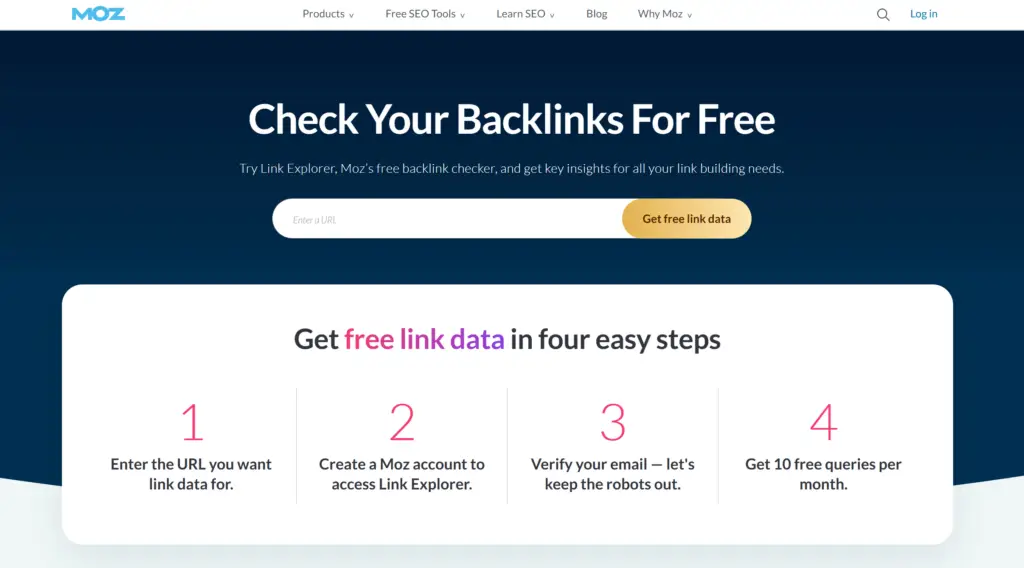
10. Moz Link Explorer
Moz Link Explorer is useful for checking backlinks pointing towards your website.
Backlinks still act as a trust signal for search engines, so understanding who links to your site gives you a better sense of your website authority overall.
The tool also helps identify opportunities for future links.
Sometimes you notice businesses, directories, blogs, or local organisations linking to competitors but not to you.
That can reveal fairly straightforward outreach opportunities.
For beginners, the biggest value is usually awareness.
Many small businesses never review their backlink profile at all, which means they miss both useful opportunities and potential spam issues.
You do not need to become obsessed with link metrics early on, but understanding the basics is still worthwhile.
Bonus Tool: Looker Studio
Looker Studio, previously called Google Data Studio, helps bring your reporting into one place.
Rather than jumping between different platforms constantly, you can create dashboards that combine GA4, Google Ads, Search Console, social platforms, and other sources together.
That usually makes reporting far less messy.
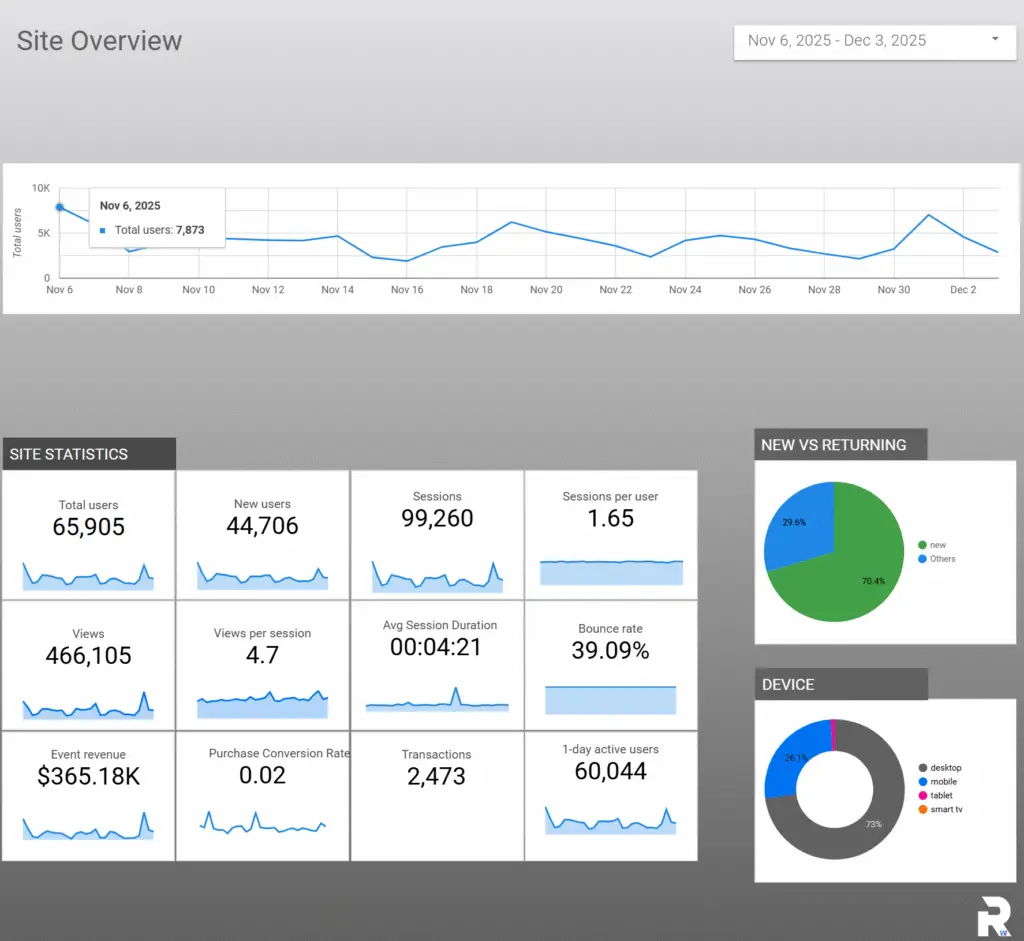
Most business owners do not want endless spreadsheets and complicated reports. They just want to know what is improving, what is underperforming, and where they should focus next.
That is where Looker Studio works well.
I created a custom GA4 Looker dashboard specifically because many businesses found standard analytics reporting difficult to interpret.
Once connected properly, you can track traffic, conversions, user behaviour, and overall growth in a much cleaner format.
Top Tip
“Simple reporting dashboards are often more useful than overly detailed ones because they make trends easier to spot quickly.”
How This All Ties Together
SEO should feel manageable, especially for small businesses.
Most small businesses make better progress when they focus on the basics consistently rather than chasing every new tool or trend that appears online.
The tools above help you understand your audience, improve technical structure, identify content opportunities, and track what actually matters.
More importantly, they help you make decisions with real data instead of assumptions.
That alone puts you ahead of many businesses.
Start small.
Choose a few tools that support your current priorities and build simple habits around them. Review your data regularly, improve pages gradually, and give your content time to mature.
SEO is rarely quick.
But steady improvements, repeated consistently, usually compound far better than people expect.