
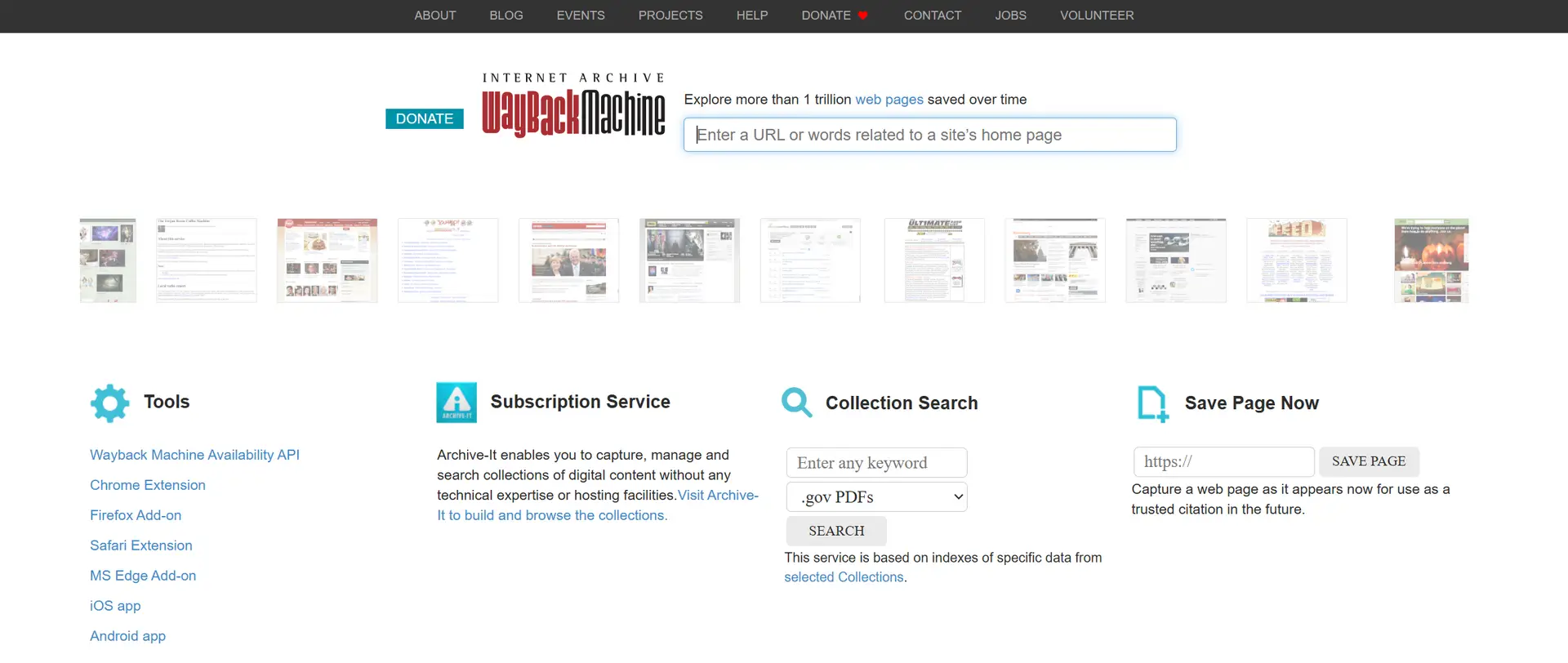
Anyone who works in SEO knows websites rarely stay the same for long. Content gets updated, layouts shift, and technical setups quietly change in the background. Tools like Google Analytics 4 and Google Search Console help you track what is happening now, but they cannot always explain why performance changed in the first place.
That is where the Wayback Machine becomes genuinely useful.
Using the Wayback Machine to enhance SEO gives you something most reporting platforms cannot: historical context. You can see what changed, when it changed, and how those changes may have influenced rankings, traffic, or conversions over time.
Before getting into the detail, here’s the short version.
Summary
The Wayback Machine helps you:
- Compare older versions of pages against current versions
- Spot content drift after rewrites or redesigns
- Recover lost copy, internal links, or deleted sections
- Understand why rankings or conversions dropped
- Review a domain’s history before buying it
- Check sites before link outreach
- Investigate structural changes that affected visibility
- Recover missing content after migrations or updates
- Access pages and references that no longer exist
The goal is not simply restoring old pages word-for-word. Most of the time, older snapshots help you understand what worked before so you can rebuild something stronger for current search intent.
What the Wayback Machine Actually Helps You See
Most people think of the Wayback Machine as a place to browse old versions of websites. In reality, it is far more useful than that for SEO work.
It lets you trace how a site evolved over time. You can see how pages were structured, how internal linking changed, what content disappeared, and how redesigns altered the user experience. Sometimes those shifts explain ranking changes almost immediately.
That context matters because SEO problems rarely appear out of nowhere.
A page might slowly lose detail after several rounds of editing. Navigation changes might reduce access to important pages. Internal links may disappear during a redesign without anybody noticing properly. Over time, visibility weakens.
The difficult part is figuring out exactly where things started going wrong.
That is usually where archive snapshots become useful.
The Wayback Machine works best as a comparison tool rather than a recovery tool. You compare older versions against the current version, identify meaningful changes, then decide what still makes sense today.
Older versions should not automatically be restored exactly as they were. Search behaviour changes. User expectations shift. Google changes too. Still, older snapshots often reveal strengths that were accidentally removed along the way.
Why Historical Context Matters More Than Most People Realise
A lot of SEO reporting focuses on the present. Rankings today. Traffic this month. Click-through rate this week.
Useful, obviously. But it only tells part of the story.
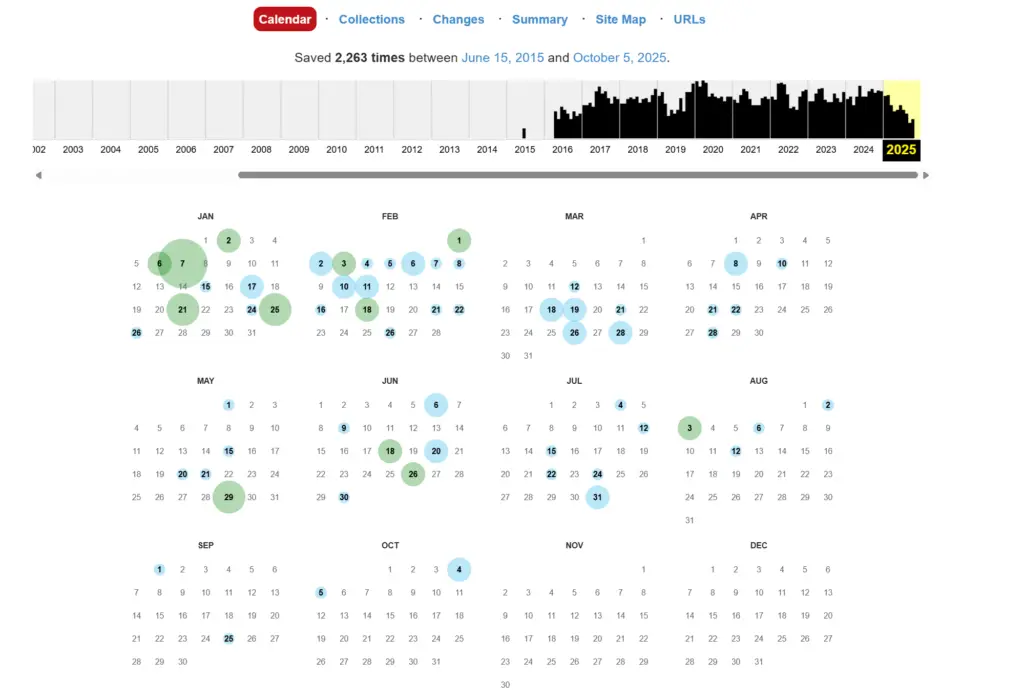
Sometimes a page starts declining months after the real issue happened. That delay makes diagnosis difficult because teams often look at recent activity rather than older structural changes.
For example, you might discover:
- a service page used to contain far more supporting detail
- internal links were removed during a template update
- key navigation items disappeared after a redesign
- headings became less aligned with search intent
- supporting cluster pages were deleted quietly during consolidation
Those changes do not always create immediate ranking drops. Sometimes the decline happens gradually.
That delayed impact is what makes historical snapshots so valuable. You stop guessing and start comparing.
Looking Back at Pages That Used to Perform Better
Most SEOs have experienced this at some point.
A page ranked well for years. Traffic was steady. Leads came through consistently. Then performance slowly weakened after updates, rewrites, or design changes.
The challenge is working out which change actually mattered.
When you compare older snapshots against current versions, patterns usually start appearing quite quickly. You may notice the page used to explain topics more clearly. Perhaps the structure flowed better. Maybe supporting internal links helped reinforce relevance.
Sometimes the difference is surprisingly small.
A heading changes. Sections become compressed. Helpful detail disappears. A strong page slowly becomes thinner without anybody intending it.
That happens more often than people think.
Top Tip
“When rankings drop unexpectedly, compare the closest Wayback snapshot to the period before visibility declined. Small structural changes often create bigger SEO problems later”
Restoring Useful Elements From Older Versions
There are situations where older versions of a page contain genuinely valuable elements worth bringing back.
Not everything, obviously. Blindly rolling pages backwards rarely works well long term. But older snapshots often reveal strengths that newer versions lost.
You might restore:
- clearer heading structures
- stronger internal linking paths
- missing supporting detail
- useful navigation elements
- better topical focus
- commercial sections that were accidentally removed
This approach works particularly well after redesigns or content refreshes that stripped too much depth from a page.
Sometimes teams simplify content so aggressively that pages lose the detail that originally helped them rank. Other times, developers unintentionally remove internal linking modules during template changes.
The archive helps you spot those gaps without relying on memory.
And honestly, memory is usually unreliable once a site has been edited dozens of times.
Top Tip
“If visibility improves after restoring older structural elements, treat that as evidence rather than coincidence. It often reveals what search engines previously understood clearly about the page.”
Understanding How a Site Changed Over Time
The Wayback Machine becomes even more useful when inheriting older websites or revisiting long-running domains.
You start seeing how the site developed over the years rather than only looking at its current version.
That wider view often explains a lot.
You may discover entire sections once played a major role in internal linking. You might notice commercial pages were previously much easier to reach. Some sites quietly removed strong topical clusters during redesigns and never replaced them properly.
Those historical decisions can still influence performance years later.
Without that context, it is easy to make the wrong assumptions about what the site actually needs.
Checking a Domain Before Buying It
Expired domains and aged domains can look attractive on the surface. Decent authority metrics. Existing backlinks. Long registration history.
But historical usage matters too.
The Wayback Machine helps you review how the domain was used previously and whether its history looks consistent or problematic.
You can quickly spot things like:
- spam content
- hacked pages
- sudden topic changes
- affiliate abuse
- doorway pages
- unrelated language switches
- periods of low-quality publishing
A clean, stable history usually signals lower risk.
A messy history full of spam or constant topic changes? That is usually where future problems start appearing.
The archive will not show everything, but it gives enough context to avoid obvious mistakes.
Pairing this with checks from Google Safe Browsing gives a far clearer picture before purchasing a domain.
Reviewing Sites Before Link Outreach
Most people focus heavily on metrics during link outreach. Authority scores. Traffic estimates. Referring domains.
Those numbers matter, but history matters too.
A site with a consistent editorial identity over several years is usually a safer link prospect than one that constantly changes direction.
The Wayback Machine helps you check that history properly.
You can see if the site:
- maintained quality standards
- shifted into spam at any point
- hosted obvious link schemes
- changed industries repeatedly
- became overloaded with affiliate content
That context helps you avoid poor-quality placements that may create problems later.
Top Tip
“Strong links usually come from sites with stable publishing history, not simply high metrics.”
Recovering Lost Content After Migrations or Updates
Content loss during migrations is incredibly common.
Sections disappear. Internal links vanish. Entire pages get overwritten accidentally. Sometimes backups are incomplete or unusable.
That is where the archive becomes surprisingly practical.
Even if interactive elements cannot be recovered fully, older snapshots often preserve enough of the page structure and copy to rebuild what was lost.
This becomes especially useful for evergreen pages that previously ranked well before migrations weakened them.
You can recover:
- missing sections
- deleted copy
- old page structures
- internal linking paths
- archived resources
- discontinued product content
Not perfectly every time, admittedly. But often well enough to restore important value.
Accessing Content That No Longer Exists
The internet quietly deletes useful content every day.
Pages disappear. Articles get rewritten. Product pages vanish. Studies get removed.
The Wayback Machine often becomes the only remaining record of what used to exist.
That makes it useful for:
- competitor research
- historical verification
- content planning
- recovering citations
- checking old product information
- validating previous claims
Sometimes older references provide context newer content completely lost.
Structural Changes Often Explain More Than Content Changes
A lot of SEO discussions focus heavily on content quality, but structural changes regularly cause problems too.
You may find older versions of the site:
- linked more directly to important pages
- surfaced key categories more prominently
- supported deeper pages through navigation
- included stronger footer links
- reinforced topical clusters more clearly
When those structures disappear, rankings can weaken gradually over time.
The difficult part is that structural problems are not always obvious inside analytics platforms. Historical comparisons make them easier to spot.
Content Drift Happens Slowly
One of the most common issues the Wayback Machine helps uncover is content drift.
Pages rarely become weaker overnight.
Usually, content changes little by little across multiple updates. Different people edit sections. Messaging shifts. Important detail disappears. New copy gets added without clear direction.
Eventually, the page no longer serves its original purpose properly.
That slow drift often damages rankings long before anybody notices.
Comparing snapshots across different years helps you identify the point where the page started losing clarity. Once you see that shift, rebuilding the content becomes far easier.
Wayback Machine To Enhance SEO Frequently Asked Questions
How does the Wayback Machine help SEO work long term?
It gives you historical context. You can compare older versions of pages against current versions and identify the structural or content changes that may have influenced rankings over time.
Should you restore older versions of pages completely?
Usually no. Older versions are best used as reference points rather than exact templates. The aim is understanding what previously worked and rebuilding stronger versions for current intent.
Is it useful when buying domains?
Yes. It helps you review how a domain was used historically and spot signs of spam, abuse, or unstable topic changes before purchasing.
Does the archive capture every page?
No. Coverage varies depending on the site and how frequently pages were archived. Still, most established domains have enough snapshots to identify meaningful patterns.
Can it help with technical SEO investigations?
Absolutely. It is useful for spotting navigation changes, removed internal links, deleted sections, and structural shifts that may have affected visibility.
How This All Ties Together
The Wayback Machine remains one of the most useful free tools available for SEO research.
Not because it replaces analytics or crawling tools, but because it adds the missing context those tools often cannot provide.
You see how pages changed. You understand when structural decisions happened. You spot what disappeared, weakened, or drifted away over time.
And once you can see those patterns clearly, decision-making becomes much easier.
Most SEO problems are not random. The clues are usually there somewhere. You just need a way to look backwards properly.